
Introduction
In the process of using the Odoo system, securing your account is extremely important. One of the simplest yet most effective ways to protect your data isto change your password regularly..
This article will guide you step by step on how to quickly and easily change your password in the Odoo system.
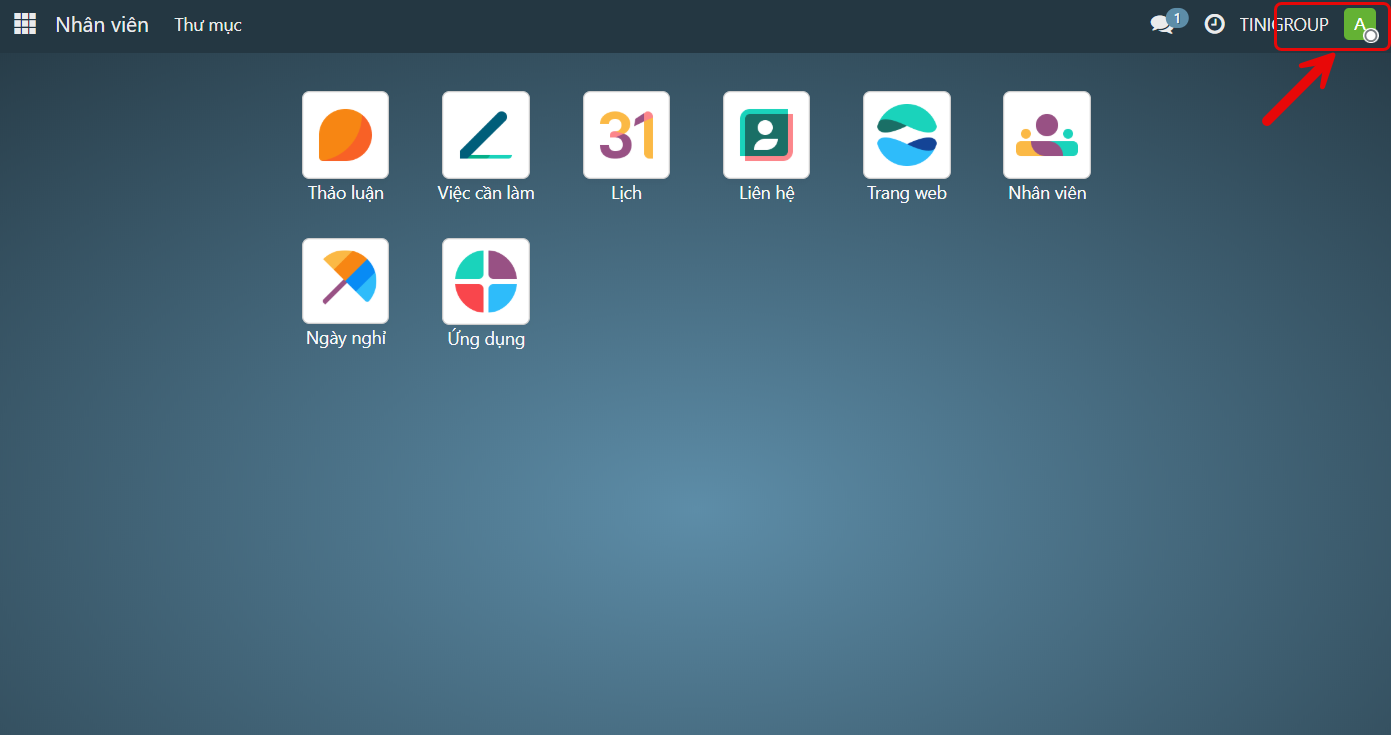
Step 1:On the Home interface, clickon the Avatar in the top right corner.
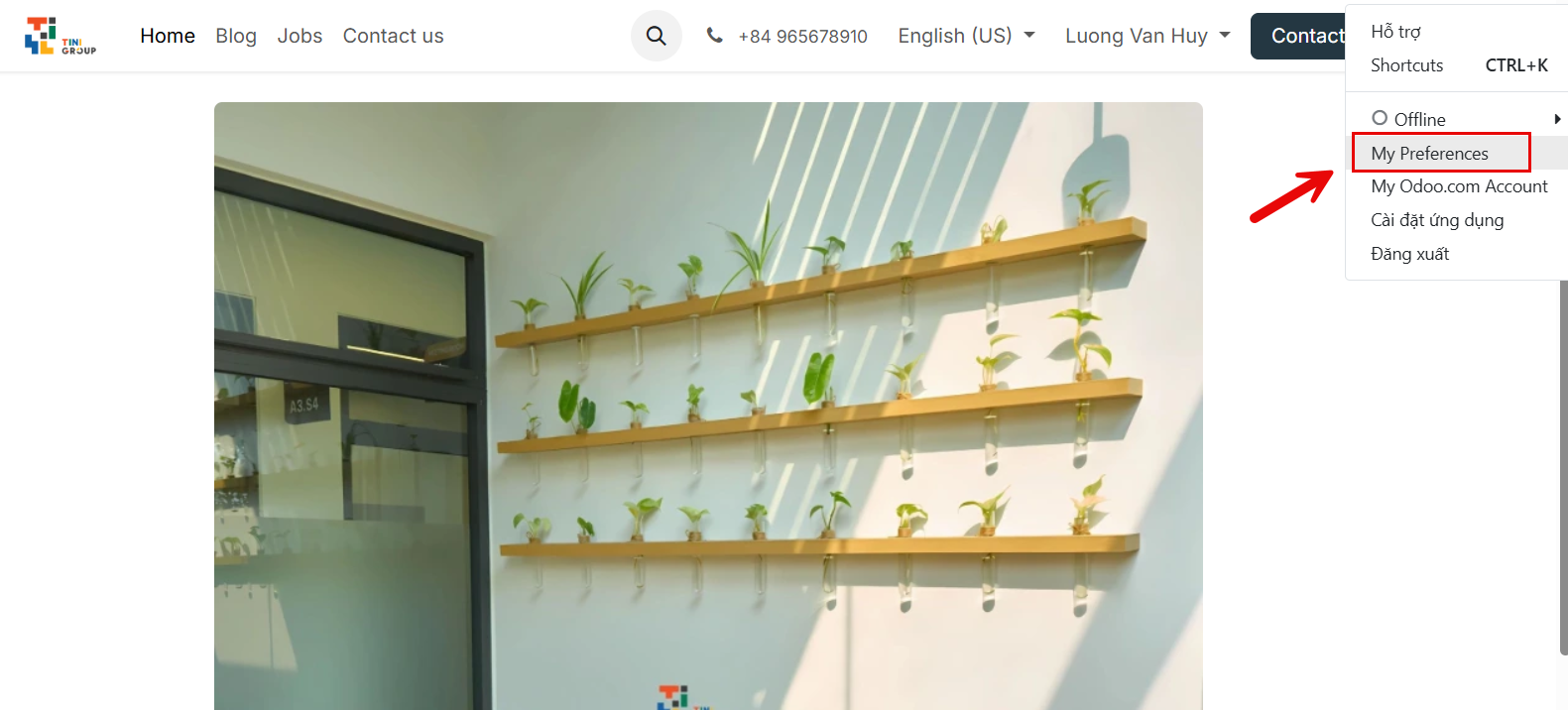
Step 2:On the interface, clickon My Preferences.
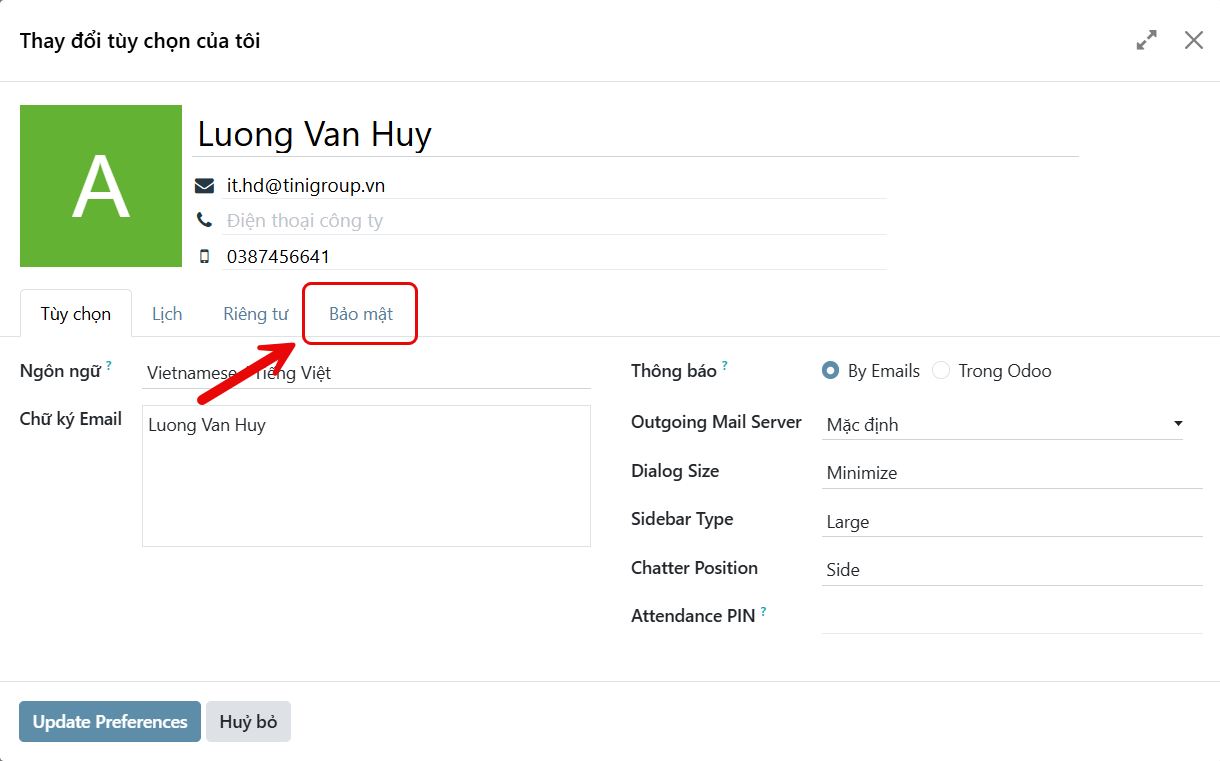
Step 3: Continue by clicking onSecurity.
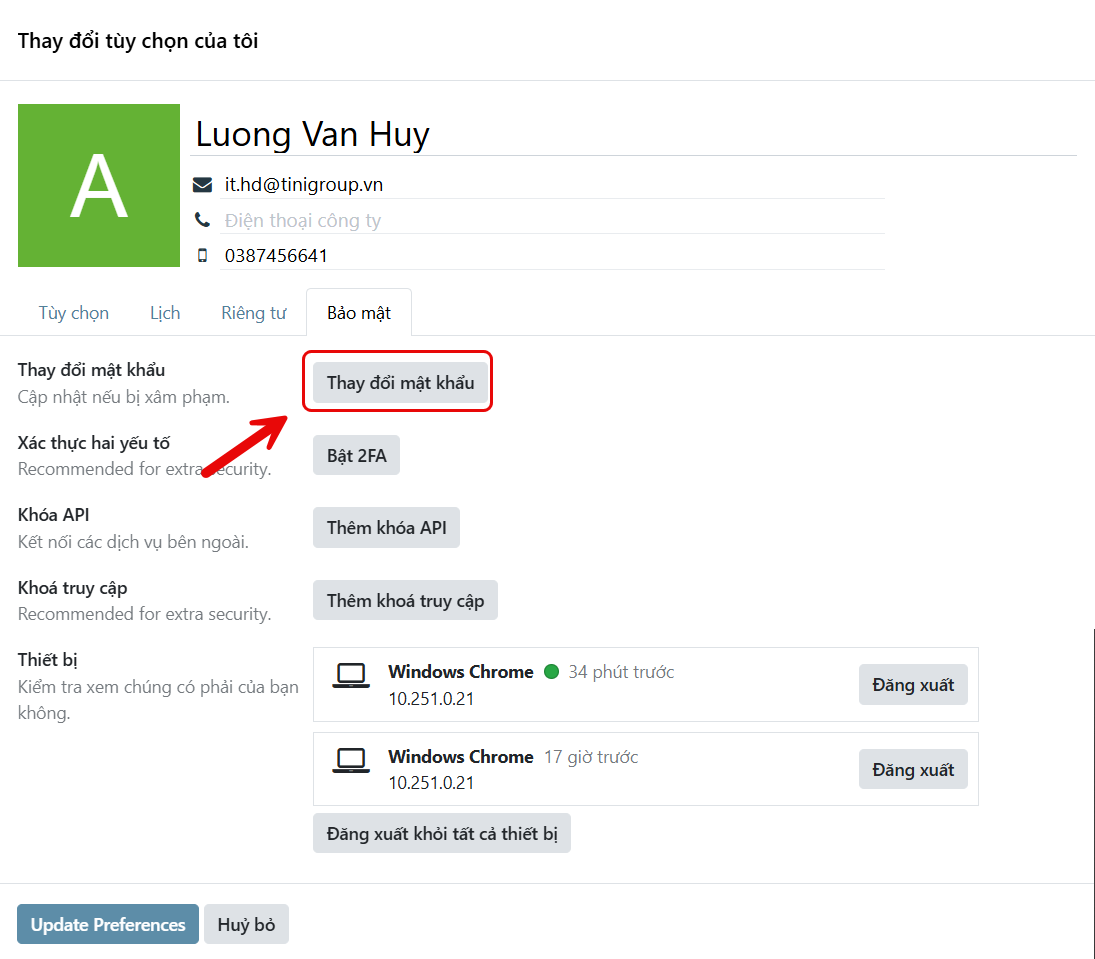
Step 4:Clickchange password.
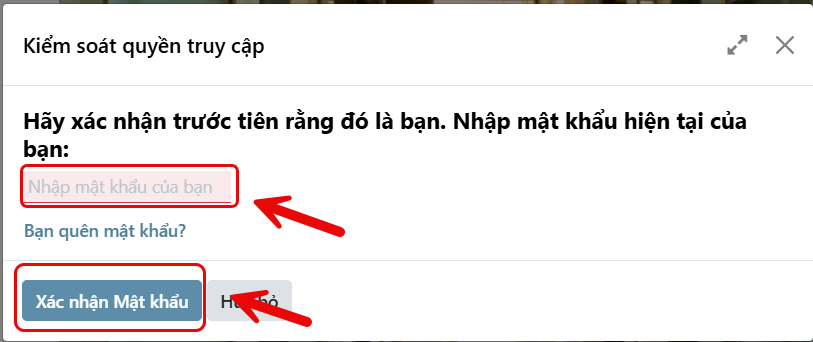
Step 5:Enter your current password and clickconfirm password.
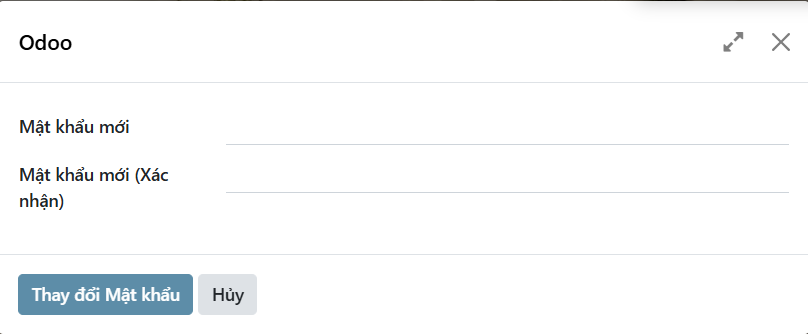
Step 6: Enter a new password and clickchange password.
If you encounter any issues during the process, please contact the IT department for quick assistance.